In order to send an order confirmation with iedi.online, you must have received an order in your account. This can be done by the customer sending an electronic order to your iedi.online account or by creating the sales order in the system yourself. You can view your sales orders on the dashboard, or by clicking "Sales" -> "View Orders" in the menu bar.
- Click on the order
- Review the order and check that all necessary information is entered correctly
- Click the orange “confirm” button in the upper right corner.
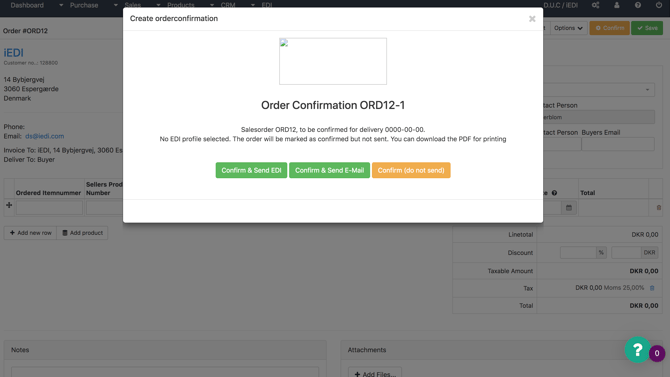
- Now you are greeted by a new window that gives you the following options:
- Confirm & Send EDI - to send an electronic order confirmation
- Confirm & Send E-Mail - to send an order confirmation as PDF by e-mail
- Confirm (do not send) - to confirm without sending order confirmation.